
Troubleshooting Common Panasonic Remote Control Issues
The sleek, intuitive remote control is the gateway to your Panasonic entertainment system. Whether it’s your TV, Blu-ray player, soundbar, or even an air conditioner, a responsive remote makes navigating your devices a pleasure. However, like any electronic gadget, remote controls can develop glitches. From unresponsive buttons to outright silence, troubleshooting these common Panasonic remote control issues can save you time, frustration, and potentially the cost of a replacement. This comprehensive guide will walk you through the most frequent problems and provide practical, step-by-step solutions to get your Panasonic remote working like new.
The Silent Treatment: When Your Panasonic Remote Stops Responding
This is perhaps the most common and frustrating issue. You press a button, and nothing happens. Before you assume the worst, let’s explore the likely culprits and their fixes.
1. The Power Struggle: Battery Basics
It sounds simplistic, but dead batteries are the number one reason for a non-responsive remote. Many users overlook this, especially if the remote hasn’t been used heavily. The intensity of your usage, the age of the batteries, and even the ambient temperature can all affect battery life.
- Check Battery Orientation: Ensure the batteries are inserted correctly, matching the ‘+’ and ‘-‘ symbols with the corresponding markings in the battery compartment. A simple oversight can render the remote useless.
- Replace Batteries: If in doubt, always try fresh, high-quality alkaline batteries. Avoid rechargeable batteries unless specifically recommended by Panasonic, as their voltage can sometimes be inconsistent.
- Test with Known Working Batteries: If you have other remote controls that are working, try using their batteries in your Panasonic remote to confirm if it’s a battery issue.
Case Study: Sarah, a loyal Panasonic TV owner, noticed her remote becoming sluggish over a few weeks. One day, it completely stopped working. Frustrated, she was about to order a new one when her tech-savvy nephew suggested replacing the batteries. To her surprise, fresh batteries instantly revived the remote.
2. The Signal Barrier: Obstructions and Distance
Infrared (IR) remotes, the most common type used by Panasonic, rely on a clear line of sight to the device’s IR receiver. Anything blocking this path will prevent the signal from reaching its destination.
- Clear the Path: Ensure there are no objects between the remote and the IR receiver on your Panasonic device. This includes furniture, decorative items, or even a slightly ajar cabinet door.
- Proximity Matters: Try moving closer to your Panasonic device. While most remotes have a decent range, some issues might manifest when you’re at the edge of their effective distance.
- IR Receiver Check: The IR receiver on your device is usually a small, dark, often slightly recessed window. Ensure this area is clean and free from dust or smudges that could impede signal reception.
3. The Interference Factor: Environmental Clues

While less common with modern IR remotes, certain environmental factors can sometimes interfere with their operation.
- Strong Sunlight: Direct, bright sunlight can sometimes overwhelm the IR receiver, making it less sensitive. Try operating the remote away from direct sunlight.
- Other IR Devices: In rare cases, other IR-emitting devices in close proximity might cause minor interference. Try to minimize the number of active IR devices operating simultaneously in the immediate area.
The Stubborn Button Blues: When Specific Commands Fail

Sometimes, your Panasonic remote might partially work, with only certain buttons refusing to cooperate. This usually points to a more localized issue within the remote itself.
4. The Grime Game: Dirty Contacts
Over time, dust, dirt, and even residue from fingerprints can accumulate on the conductive contacts within the remote’s buttons. This prevents a proper connection from being made when the button is pressed.
- Gentle Cleaning: The most effective solution is often a gentle cleaning. You’ll need a small Phillips head screwdriver to open the remote.
- Isopropyl Alcohol: Once opened, use a cotton swab lightly dampened with isopropyl alcohol (90% or higher concentration) to clean the rubber conductive pads on the underside of the buttons and the corresponding contacts on the circuit board.
- Dry Thoroughly: Ensure all components are completely dry before reassembling the remote.
Statistic: A survey of consumer electronics repair services found that over 30% of reported remote control issues were attributable to dirty button contacts.
5. The Wear and Tear: Button Fatigue

Like any mechanical component, buttons can wear out over time, especially frequently used ones like the power or volume buttons. The small rubber dome that makes contact can degrade, losing its conductivity or resilience.
- Identifying the Culprit: If only one or two buttons are problematic, this is a strong indicator of button fatigue.
- Advanced Repair (DIY or Professional): For worn-out button contacts, more advanced users might consider specialized conductive repair pens or even replacing the rubber button membrane, though this is a more involved process and often best left to professionals if you’re not comfortable.
The “Pairing Perplexity”: Wireless and Bluetooth Remote Issues
Modern Panasonic devices, especially smart TVs and soundbars, often use Bluetooth or RF (Radio Frequency) remotes that don’t require a direct line of sight. These offer greater flexibility but can introduce their own set of troubleshooting challenges.
6. The Lost Connection: Re-pairing Your Remote
Bluetooth and RF remotes need to be “paired” with your Panasonic device to communicate. Sometimes, this connection can be lost due to software glitches, interference, or a power surge.
- Consult Your Manual: The re-pairing process varies significantly between Panasonic models. Always refer to your specific user manual for the exact steps.
- Common Re-pairing Steps: Generally, you’ll need to:
- Turn off your Panasonic device.
- Remove and reinsert the batteries in the remote.
- Press and hold a specific button or combination of buttons on the remote (often indicated in the manual, e.g., the “Home” button or a dedicated pairing button).
- Turn on your Panasonic device while continuing to hold the button(s) on the remote.
- Wait for an on-screen confirmation that the remote has been paired.
- Check Bluetooth Settings: On your Panasonic device, ensure Bluetooth is enabled. Sometimes, a simple toggle of the Bluetooth setting can resolve connection issues.
7. The Interference Zone: Wireless Signal Disruption
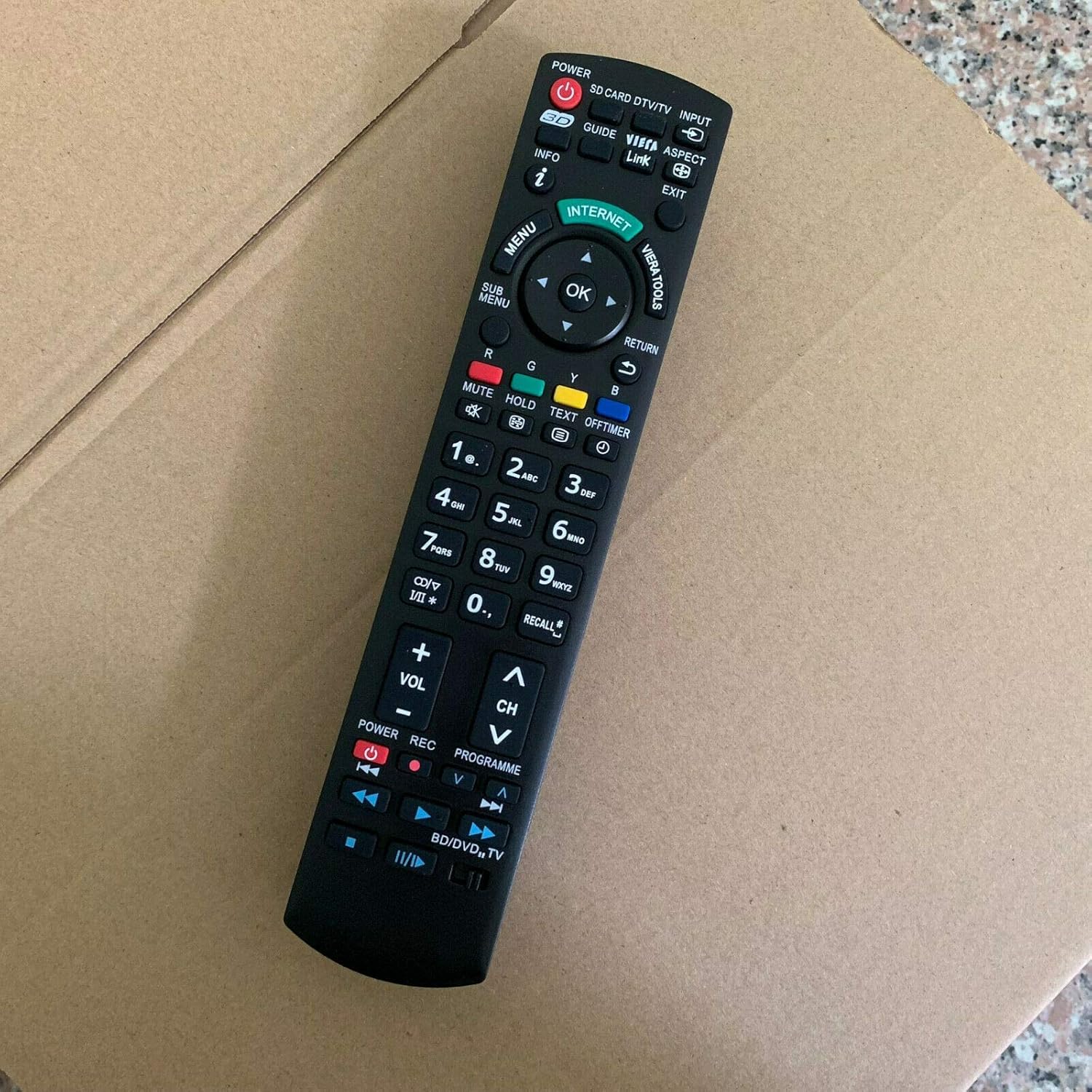
Bluetooth and RF signals can be susceptible to interference from other wireless devices operating on similar frequencies, such as Wi-Fi routers, microwaves, cordless phones, and even other Bluetooth devices.
- Minimize Interference: Try to position your Panasonic device and the remote away from potential sources of interference.
- Update Device Firmware: Ensure both your Panasonic device and its firmware are up to date. Manufacturers often release updates that improve wireless connectivity and stability.
Beyond the Basics: Advanced Troubleshooting and When to Seek Help
If you’ve exhausted the common solutions, a few more advanced steps might be necessary.
8. The Reset Button: A Fresh Start

Some Panasonic remotes have a hidden reset button, often a small pinhole requiring a paperclip to press. This can clear temporary glitches.
- Locate the Reset Button: Check the back or battery compartment of your remote for a small pinhole labeled “Reset.”
- Perform the Reset: With fresh batteries installed, gently press and hold the reset button for a few seconds.
- Re-pair if Necessary: After a reset, you might need to re-pair the remote with your Panasonic device, especially if it’s a Bluetooth model.
9. The “Universal” Solution: Testing with Another Remote
If your Panasonic device is compatible with universal remotes, trying one can help diagnose whether the issue lies with the original remote or the Panasonic device’s IR receiver.
10. The Professional Touch: When to Call for Assistance
If none of the above steps resolve your Panasonic remote control issues, it’s time to consider professional help.
- Panasonic Support: Contact Panasonic customer support. They can offer model-specific advice and potential replacement options.
- Electronics Repair Shops: Local electronics repair shops may be able to diagnose and fix more complex internal damage to your remote.
- Replacement Options: If the remote is beyond repair, you’ll likely need a replacement. Ensure you order the correct model number for your Panasonic device, which can usually be found on the device itself or in its manual. Genuine Panasonic remotes are recommended for optimal compatibility and performance.
Reclaiming Your Control
A malfunctioning Panasonic remote control can significantly disrupt your entertainment experience. By systematically working through common issues such as dead batteries, signal obstructions, dirty contacts, and pairing problems, most users can successfully diagnose and resolve these glitches. Remember to always start with the simplest solutions, like checking batteries and ensuring a clear line of sight. For wireless remotes, re-pairing and minimizing interference are key. If all else fails, don’t hesitate to consult your user manual, contact Panasonic support, or seek professional repair. With a little patience and the right approach, you’ll have your Panasonic remote control back in your hands, ready to command your entertainment system once more.


